Loading Large Shapefiles & Spatial Datasets on Your Phone
Large spatial datasets are a challenge on mobile devices. A county parcel shapefile might be 200,000 polygons and 150 MB — and loading all of that into memory at once will overwhelm most phones and tablets. The naive approach of rendering every feature at every zoom level simply doesn't scale.
GoGIS was built from the ground up to handle big data on mobile. Here's how it works.
How GoGIS Handles Big Data
When you load a file in GoGIS, it doesn't dump the entire dataset into memory. Instead, it imports the data into an indexed spatial database on your device. This means:
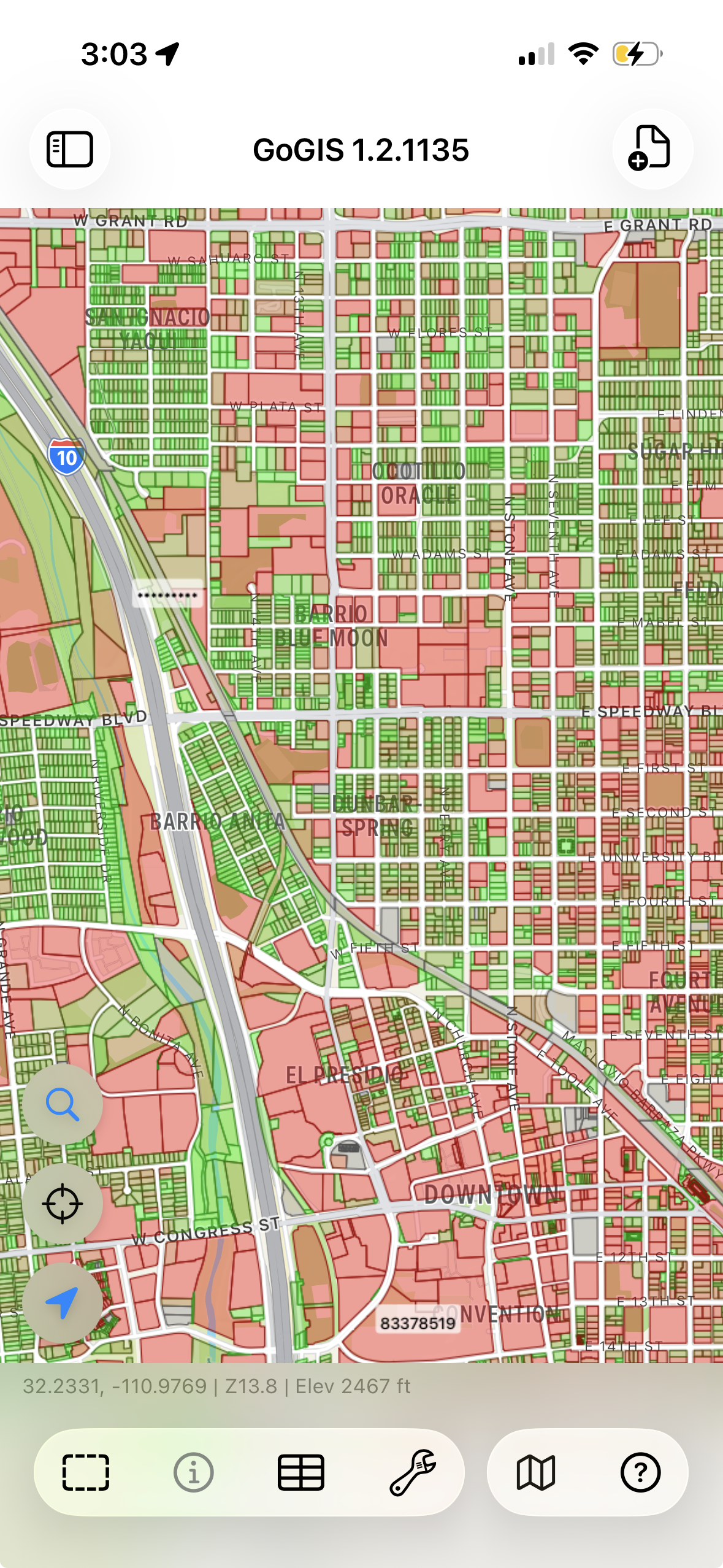
- Only visible features are rendered — when you're zoomed into a neighborhood, GoGIS only draws the parcels in that view, not the entire dataset. The map draws up to 25,000 features at a time — more than enough to fill any screen — while the full dataset stays searchable and queryable in the background.
- Spatial indexing makes queries fast — tapping a feature to see its attributes is instant, even in a layer with millions of records, because the spatial index finds the right record without scanning the whole table.
- Memory stays controlled — the app doesn't try to hold the entire dataset in RAM, so it doesn't crash and your other apps keep running
What "Large" Actually Means
To put some numbers on it, here are the kinds of datasets GoGIS handles routinely:
- County parcel data — 50,000 to 500,000 polygons with full attribute tables. This is the most common "big data" request from users.
- Statewide parcel data — not just a county, but an entire state. GoGIS has imported all of Washington state — 3.5 million parcels — into its spatial database on a phone. You can search, query, and browse the entire dataset; the map renders whatever's in your current view while the rest stays indexed and ready. Every lot, every property boundary in the state, on a device that fits in your pocket.
- Road centerlines — statewide road networks with 100,000+ line segments.
- Infrastructure inventories — utility poles, manholes, fire hydrants, signs — point layers with tens of thousands of features and attached photos.
- Environmental boundaries — wetland polygons, soil units, land cover classifications covering large geographic areas.
Practical limit: The constraint isn't usually the number of features — it's your device's storage. A 500,000-feature parcel layer might be 200 MB as a shapefile and grow to 300-400 MB in the spatial database. Make sure you have free space on your device before loading very large files.
Supported Formats
Big datasets come in various formats depending on the source. GoGIS handles all the common ones:
- Shapefile (.shp in .zip) — the most common format for government open data portals. Drop the ZIP file into GoGIS and it extracts and imports automatically.
- GeoPackage (.gpkg) — the modern replacement for shapefiles. Supports multiple layers in a single file, which is useful for large datasets that include related tables.
- GeoJSON (.geojson) — common for web-sourced data. Note that very large GeoJSON files (500 MB+) take longer to import because the entire file has to be parsed, unlike shapefiles which can be read incrementally.
- KML/KMZ (.kml, .kmz) — Google Earth format. Works fine for large datasets, though KML files tend to be larger than equivalent shapefiles.
- CSV (.csv) — for point data with lat/lon columns. GoGIS reads the coordinates and plots them on the map.
Tips for Working with Large Datasets
Use Color Coding
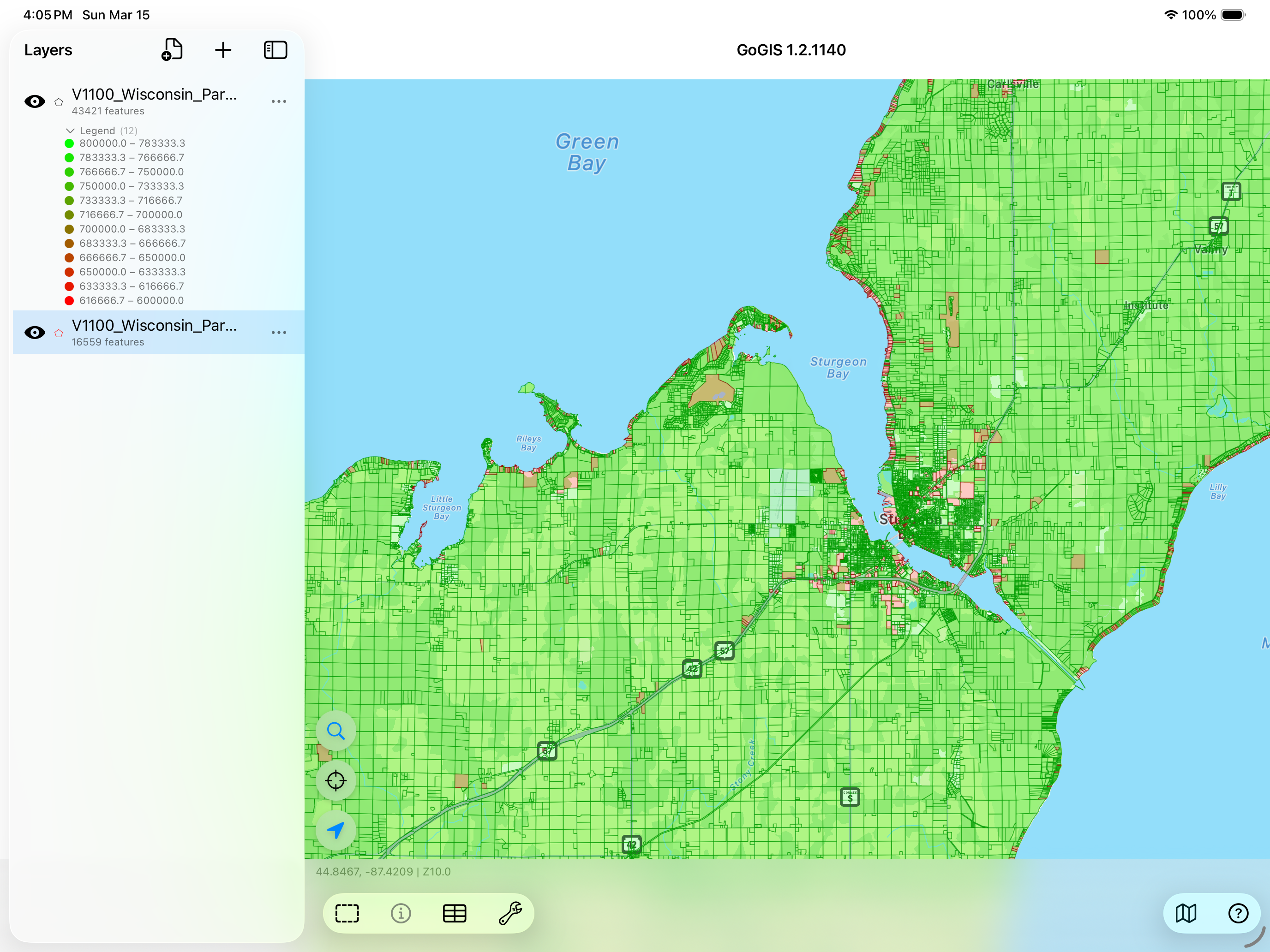
When you have thousands of features on screen, they all look the same. Color-code by an attribute — zone type, land use, owner, status — and patterns jump out instantly. This is often the whole reason someone loads a large dataset: to see the spatial pattern.
Search and Filter
With a dataset of hundreds of thousands of features, you're not going to scroll through them all. Use the search and filter tools to narrow down to what matters — a specific owner, a date range, a land use code. GoGIS searches across all attributes in the indexed database and jumps the map to matching features.
Layer Multiple Datasets
The real power of a mobile GIS isn't just opening one big file — it's stacking layers. Put the parcel data on the bottom, add flood zones, overlay your field observations on top. Toggle layers on and off to see relationships that aren't obvious in any single dataset.
Getting Large Files onto Your Device
The files have to get to your phone somehow. A few options:
- iCloud Drive or Google Drive — upload the file from your desktop, open it from the Files app on your device
- AirDrop — if you're on a Mac, AirDrop large files directly to your iPhone or iPad
- Email — works for smaller files, but most email providers cap attachments at 25 MB
- Direct download — many county and state GIS portals offer direct shapefile downloads. Open the link in Safari on your device and GoGIS can open the downloaded file
Big data. Small device. No problem.
GoGIS is built to handle the datasets your other apps can't. One-time purchase, no subscription.
Get GoGIS on the App Store