Australian Parcels, Crops & Soil Maps on Your iPhone & iPad
Australia has no national parcel map or soil map: every state keeps its own, on its own server, with its own columns. Queensland's Digital Cadastral Database writes a lot as 15DY328, NSW as 2//DP807100, Victoria as 194\PP2811, and none of them tells you the area in hectares. Queensland also maps, from satellite images, what is growing in every paddock each summer and winter.
GoGIS now has an Australia section in Reference Data. Move the map to your area, pick a dataset, and it downloads as a layer on your iPhone or iPad, with the same plain columns from state to state: Lot, Plan, Tenure, Area (ha).
Parcels
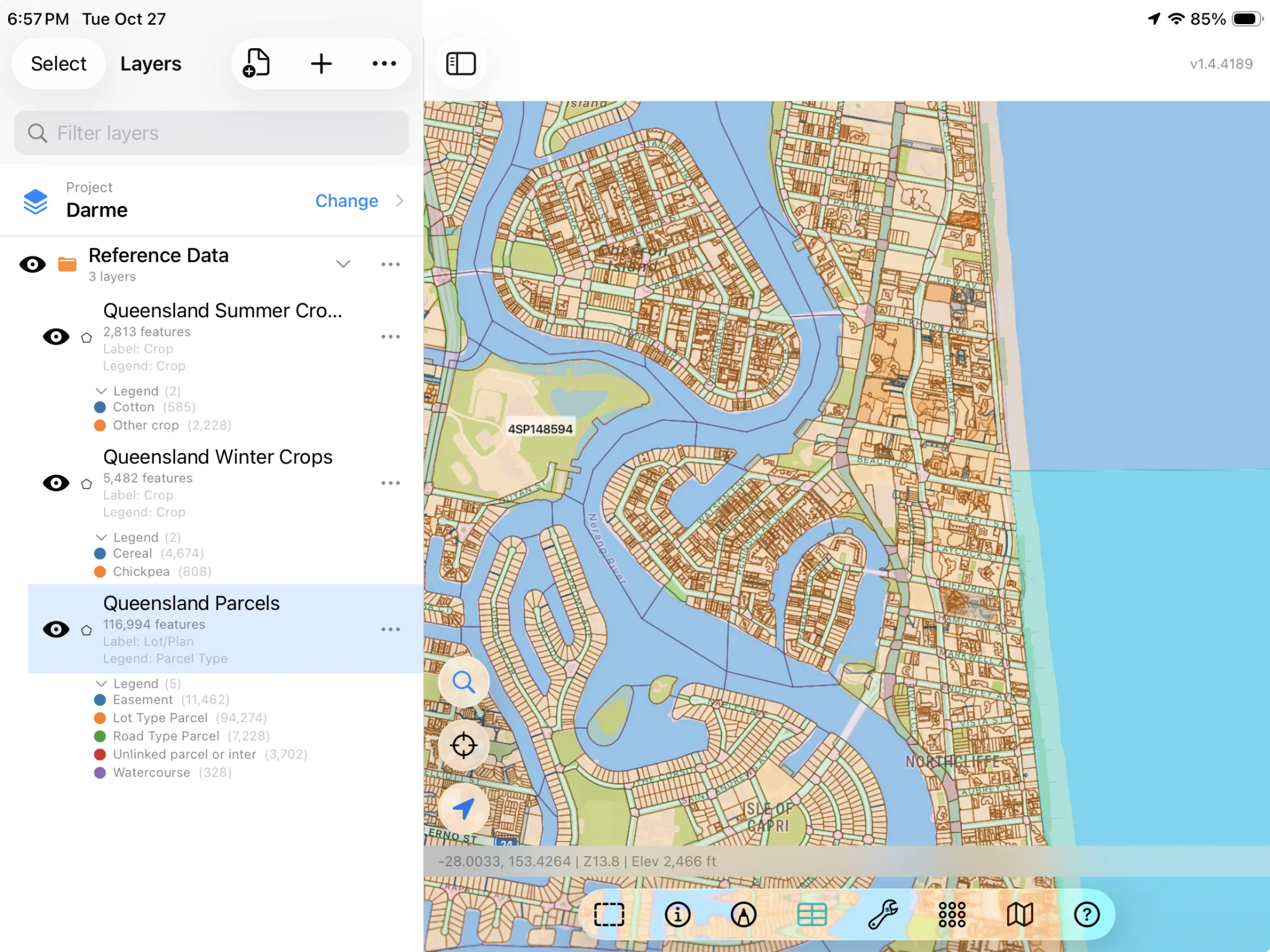
- Queensland Parcels — the Digital Cadastral Database (DCDB): each lot on its plan (Lot/Plan, 15DY328), tenure (freehold, state forest and the rest), parcel type, the name of a named parcel, the surveyed area in hectares, the locality and the local government area. The layer arrives colored by tenure. © State of Queensland, Digital Cadastral Database. CC BY 4.0.
- New South Wales Parcels — NSW Spatial Services' lots: lot, section and plan (DP807100), the lot's full reference (2//DP807100), the area the plan states (or the outline's, where it states none) and whether the lot is urban or rural. © State of New South Wales (Spatial Services, a business unit of the Department of Customer Service NSW), NSW Cadastre. CC BY 3.0 AU.
- Victoria Parcels — Vicmap Property: each parcel's SPI (1\TP672678, lot 1 of title plan 672678; 194\PP2811, allotment 194 of parish 2811), its lot, plan, allotment and section, crown status, whether it is a road, and its area in hectares. © The State of Victoria, Department of Energy, Environment and Climate Action, Vicmap Property. CC BY 4.0.
- Tasmania Parcels — theLIST's cadastral parcels: the title as volume and folio (114792/2), the property ID, tenure, parcel type, name, address and area. The layer arrives colored by tenure. Cadastral Parcels from theLIST © State of Tasmania. CC BY 3.0 AU.
- ACT Blocks — Canberra's leased blocks in force (retired and proposed ones are left out): block, section, division (suburb) and district, address, volume and folio, land use zone and area. The layer arrives colored by land use zone. © Australian Capital Territory, ACT Blocks. CC BY 4.0.
Crops and Land Use
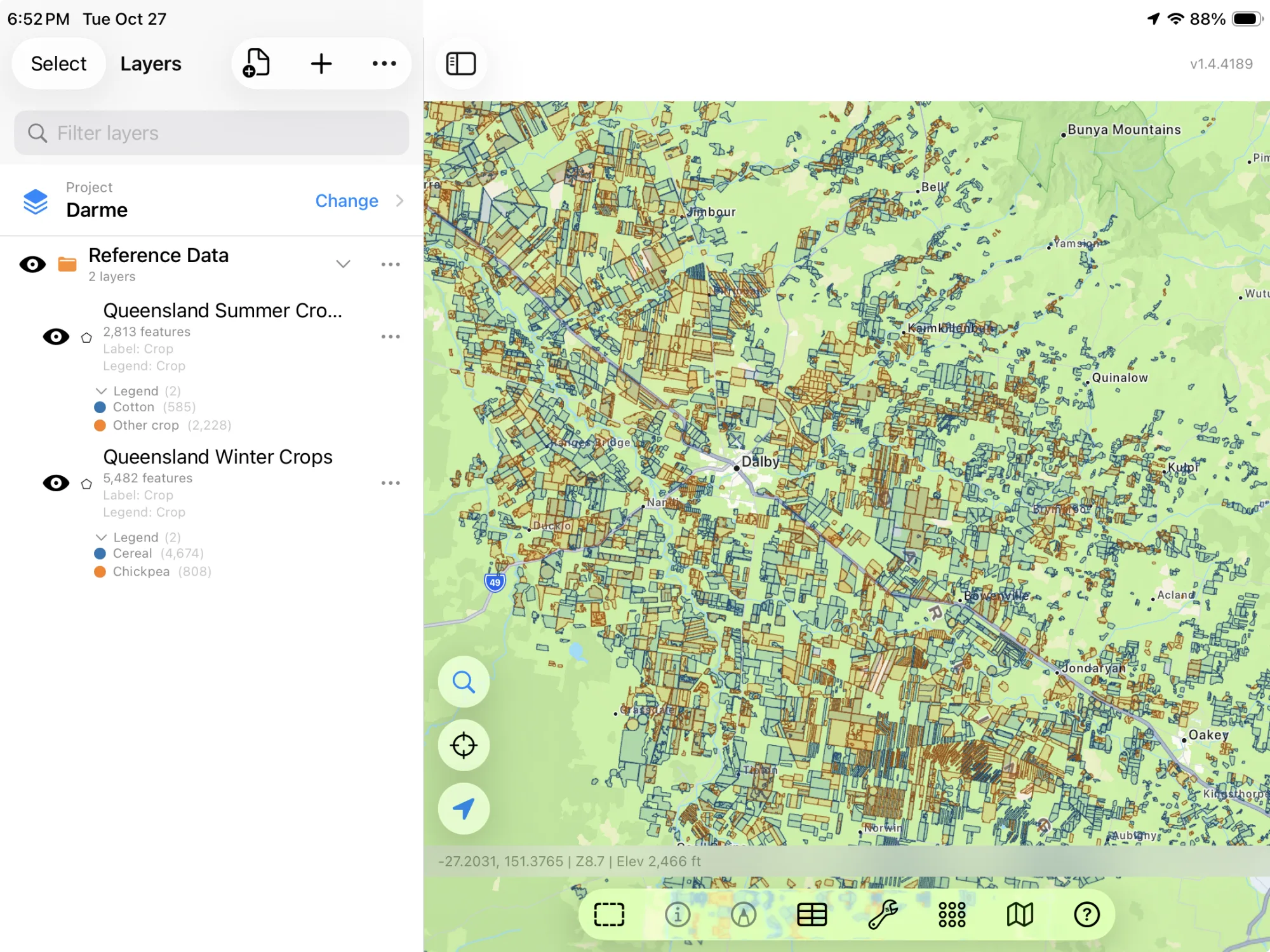
- Queensland Summer Crops and Queensland Winter Crops — Queensland's Active Cropping: what grew in each paddock in the latest summer and the latest winter, classed from satellite images, with how confident the classification is. Summer is sugarcane, cotton, banana or another crop; winter is cereal or chickpea. GoGIS always downloads the newest season Queensland has published, so the datasets move on with it. The layers arrive colored by crop. © State of Queensland, Queensland Active Cropping. CC BY 4.0.
- Victoria Land Use (2017) — the Victorian Land Use Information System, a record per property: its land use (General cropping, Mixed farming and grazing), the crop grown on it in 2017 and in 2016 (Cereals, Legumes), tenure, irrigation, the local government area and the parcel. The layer arrives colored by land use. © State of Victoria, Victorian Land Use Information System 2017. CC BY 4.0.
- New South Wales Land Use (2017) — NSW Landuse 2017, classed by the Australian Land Use and Management (ALUM) classification: the land use (Cropping, Grazing modified pastures), the finer class within it (Irrigated cereals, Quarries), the commodity where one was mapped, and the area. © State of NSW and Department of Climate Change, Energy, the Environment and Water, NSW Landuse 2017. CC BY 4.0.
Soils
- Queensland Soils — the best available soil mapping for each area: the soil that covers most of the polygon (a soil profile class such as Condamine) and its share, the others, the Australian Soil Classification order (Vertosol, Sodosol), the soil group, the map unit and a description. The layer arrives colored by soil order. © State of Queensland, Soils and land resource mapping. CC BY 4.0.
- Victoria Soils — soil types by land unit: the soil order (Sodosol, Calcarosol), its ASC code, the land unit, survey and reliability, and area. The layer arrives colored by soil order. © State of Victoria, Soil type mapping. CC BY 4.0.
- New South Wales Soil Landscapes — the soil landscapes of central and eastern NSW, each named for a place (Fullwoods Road, Battery Hill) and described in its survey's report. Department of Planning, Industry and Environment, 2020, Soil Landscapes of Central and Eastern NSW – v2.1. CC BY 4.0.
- Western Australia Soils — DPIRD's soil-landscape mapping: each map unit, its description, its land capability for dryland cropping, the survey and its reliability. State of Western Australia, Department of Primary Industries and Regional Development, Soil Landscape Mapping (DPIRD-027). CC BY 4.0.
- Tasmania Soils — theLIST's soil types: each soil association, named for its soil profile (Woodstock Association), its Australian Soil Classification orders (Kurosol, Chromosol, Ferrosol), a description of the land it covers, and a link to its survey's report. Tasmania was mapped one survey at a time, so the layer is a patchwork of the farming districts the surveys reached, often in rectangular map sheets, with nothing in between. The layer arrives colored by soil order. Soil Types, © State of Tasmania (theLIST). CC BY 3.0 AU.
Minerals
- Australia Mineral Occurrences — Geoscience Australia's national set, every state's records together: each deposit, mine or occurrence, its class, its commodities (Gold, Iron, Magnetite), its state and how closely it is placed. © Commonwealth of Australia (Geoscience Australia), Mineral Occurrences. CC BY 4.0.
How to Download the Layers
- Move the map to your area. Search for a town or an address, or pan and zoom to the paddocks you want. GoGIS downloads what's on the screen.
- Open Reference Data. Tap Import, then Reference Data. The row of countries along the top opens on the one the map is showing, so with the map in Australia, the Australia datasets are the ones listed. Each state's datasets carry its name, so pick the one for where the map is.
- Choose a dataset. The download keeps going if you switch apps or the screen would otherwise lock, and progress shows on the map. Every Australian server counts what's in the area first; if there are a great many features, GoGIS tells you how many and asks before it downloads them.
- Read the map. Parcels arrive labeled by lot and plan, crops colored by crop, soils colored by soil order. Tap anything to see everything about it.
Put the Layers to Work
- Find a paddock's lot and plan. Lay the parcels under your own field boundaries and read off the lot, plan and tenure of the land you're standing on.
- See what's growing around you. Queensland's crops show the whole district at a glance: where the cotton, sugarcane or chickpea went in this season.
- Plan soil sampling. Lay the soil map under your paddocks and see where a Vertosol gives way to a Sodosol before you set out a sampling grid.
- Combine them with your own data. Use Intersect to cut the parcels by the soil map and see which soils each lot sits on.
- Export or print. Share any layer as a Shapefile, GeoPackage, KML, GeoJSON or CSV, or print a PDF map. The source credit goes on the print and with the export.
Across the Tasman? Reference Data also has New Zealand's parcels, property titles and land use, and OpenStreetMap roads, rivers, buildings and land use anywhere.
Questions
Why are there no parcels for Western Australia, South Australia or the Northern Territory?
Landgate licenses Western Australia's cadastre for personal, non-commercial use only, so GoGIS can't download it for you. South Australia and the Northern Territory have no open service to download parcels from. Western Australia's soils are there, from DPIRD.
Which season are Queensland's crops?
The latest summer and the latest winter Queensland has published. When a new season comes out, the datasets download it instead.
What does the confidence mean?
How sure the classification is that the paddock grew that crop, from the satellite images. A low figure is worth checking on the ground.
Is there a limit on how large an area I can download?
No. Every Australian server counts the features in the area first. If there are a great many, GoGIS tells you how many and asks before it downloads them; a whole district's parcels can take a while.
Do I need desktop GIS software or an account?
No. GoGIS downloads straight from each state's and Geoscience Australia's open services. There's no key, no account and nothing to unzip.
Australia's parcels, crops and soils, in your pocket
Each state's cadastre, Queensland's crops, land use, soils and mineral occurrences, ready to download on your iPhone or iPad.
Get GoGIS on the App Store