Canadian Soil Maps on Your iPhone & iPad
Canada's provinces have mapped their farmland soils in remarkable detail. The trouble is getting that detail into the field. The data sits in provincial geoportals and federal archives, in formats built for desktop GIS, and the attribute tables are full of codes: 3T, MW, SiCL, BrWr 8. Unless you have the survey manual beside you, they don't say much.
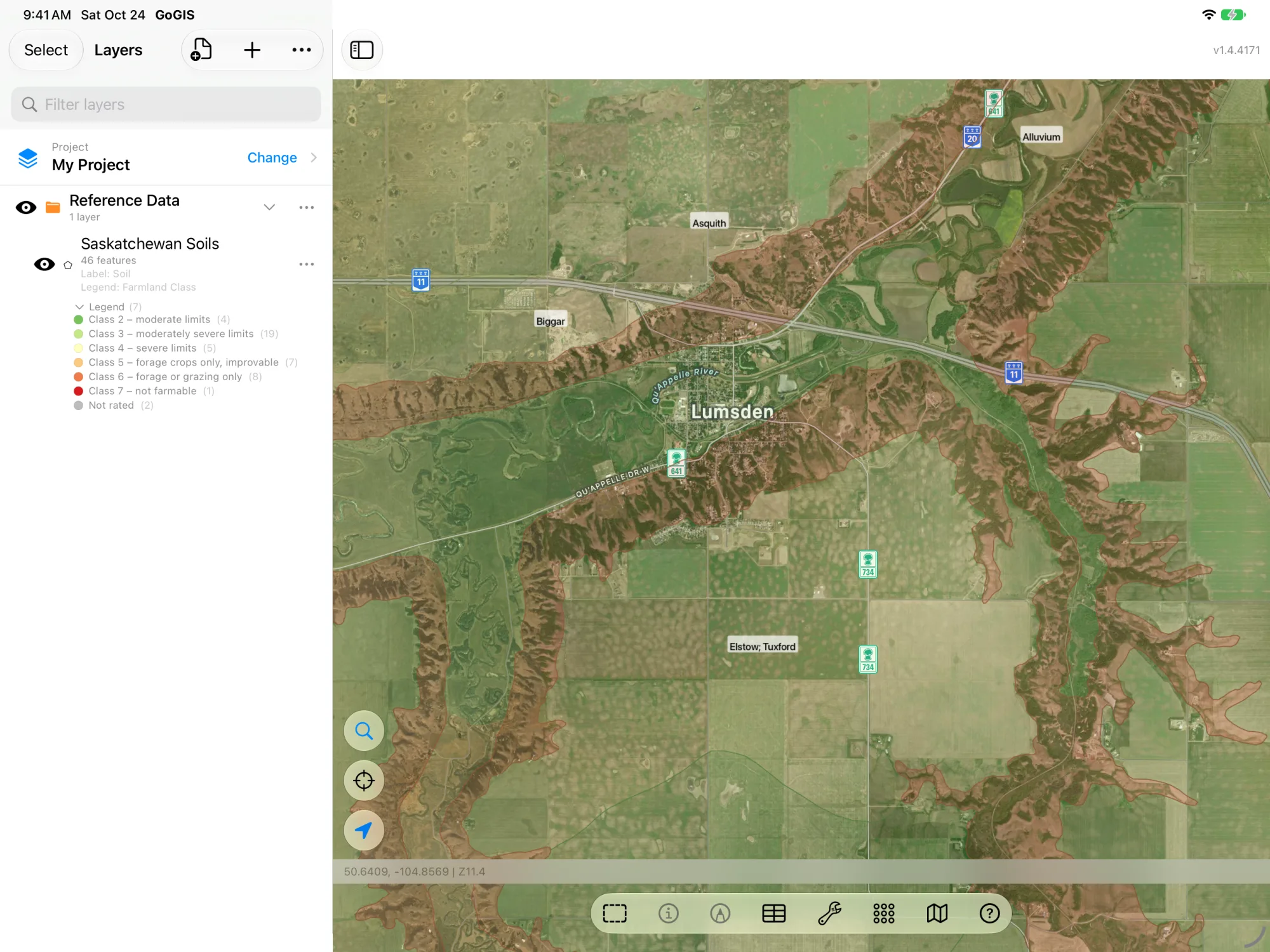
GoGIS now has a Canada section in Reference Data. Move the map to your area, pick a province, and the soil polygons download as a layer on your iPhone or iPad. Each layer arrives colored by its farmland capability class, and the codes are spelled out in plain words: the soil's name, what limits it, its texture, drainage and slope.
The Six Canadian Soil Maps
Every dataset comes from its official publisher. GoGIS shows each source's credit under the dataset, and keeps it with the layer when you print or export it.
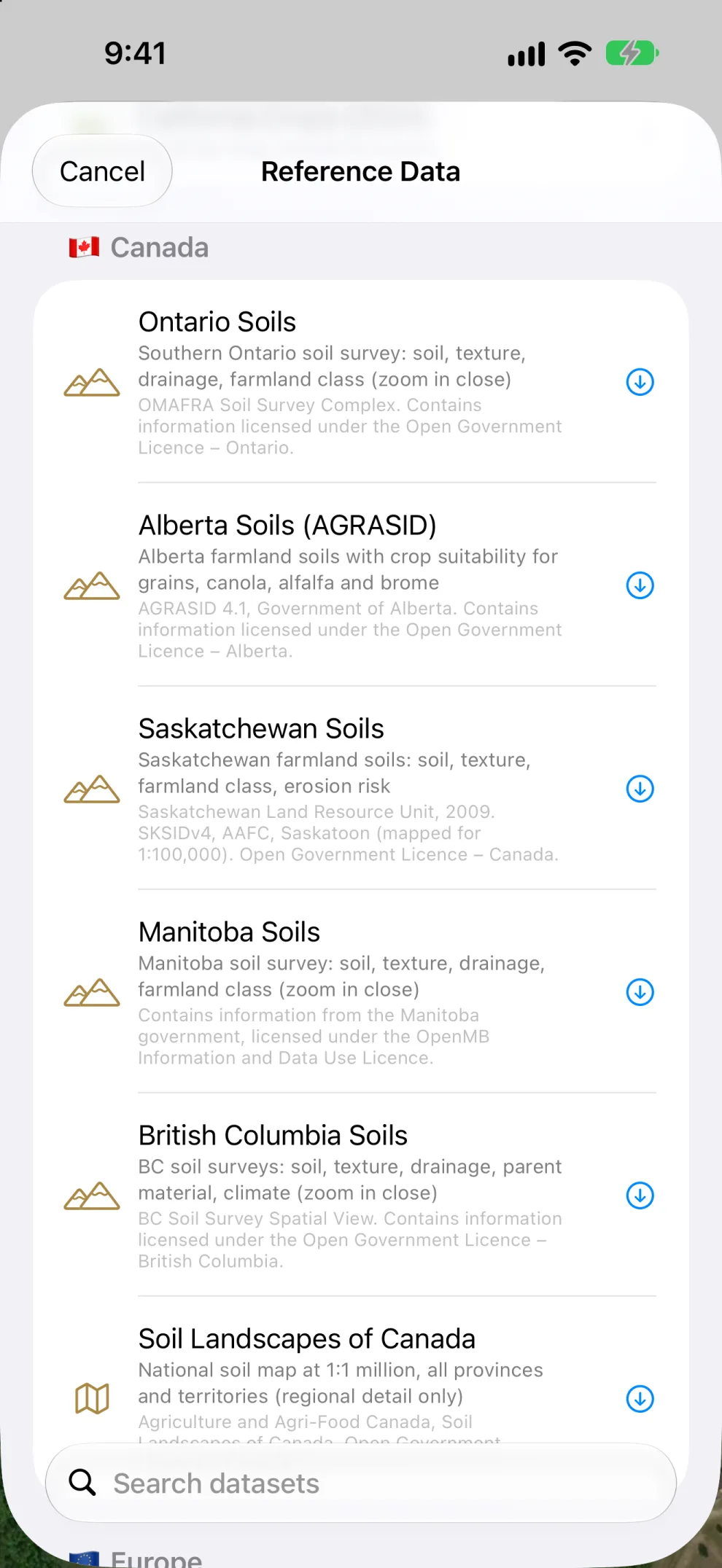
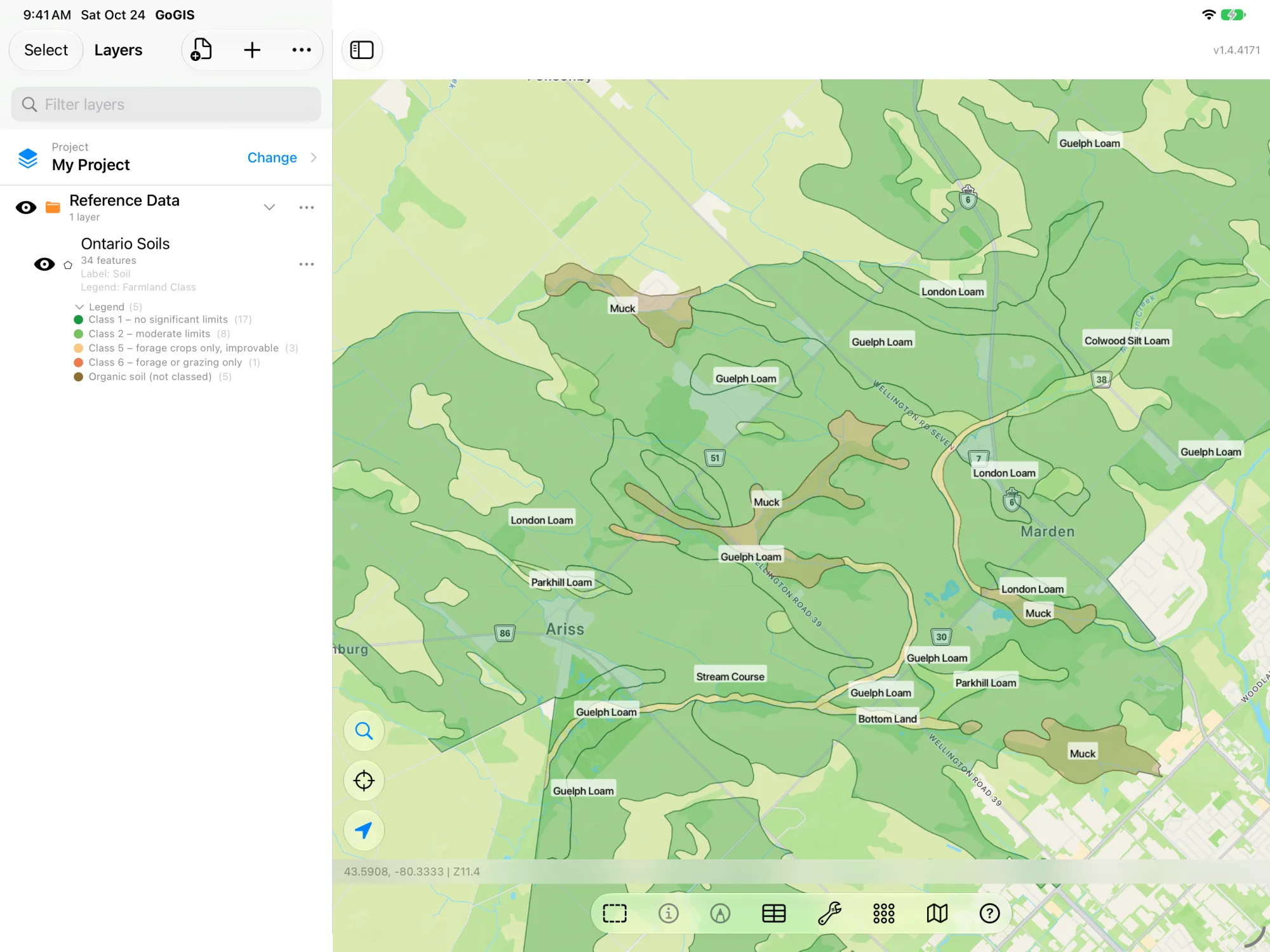
- Ontario Soils — the soil survey of southern Ontario at field scale. Each map unit lists up to three soils with their share of the area, plus texture, drainage, slope, farmland class and limitations, and the hydrologic soil group (A to D, low to high runoff). Zoom in close before you download. OMAFRA Soil Survey Complex. Contains information licensed under the Open Government Licence – Ontario.
- Alberta Soils (AGRASID) — the Agricultural Region of Alberta Soil Inventory Database, version 4.1. Instead of the CLI class, Alberta rates land with the Land Suitability Rating System, so the layer is colored by Grain Suitability, with separate ratings for canola, alfalfa and brome. The soils, their description, inclusions and landform are spelled out from AGRASID's own soil models. AGRASID 4.1, Government of Alberta. Contains information licensed under the Open Government Licence – Alberta.
- Saskatchewan Soils — the Saskatchewan Soil Information Database (SKSIDv4), mapped for 1:100,000 across the farmed part of the province. Farmland class, soil association, texture, slope, landform and limitations, plus wind and water erosion risk and irrigation suitability. Saskatchewan Land Resource Unit, 2009. SKSIDv4, AAFC, Saskatoon (mapped for 1:100,000). Open Government Licence – Canada.
- Manitoba Soils — Manitoba's agricultural soil survey. Farmland class, soil and share, texture, drainage, slope and limitations, with erosion, stoniness, salinity and irrigation suitability. Zoom in close before you download. Contains information from the Manitoba government, licensed under the OpenMB Information and Data Use Licence.
- British Columbia Soils — BC's soil surveys, colored by drainage from dry to wet. Soil and share, texture, drainage, parent material and slope, with each survey's climate: frost-free days, growing degree-days and annual precipitation. Zoom in close before you download. BC Soil Survey Spatial View. Contains information licensed under the Open Government Licence – British Columbia.
- Soil Landscapes of Canada (SLC) — Agriculture and Agri-Food Canada's national soil map at 1:1 million, from the Canadian Soil Information Service (CanSIS). It covers every province and territory, so it's the one to use where there is no detailed survey, or to see the regional picture: soil order, great group, drainage, parent material and landform. Agriculture and Agri-Food Canada, Soil Landscapes of Canada. Open Government Licence – Canada.
What the Farmland Class Means
Ontario, Saskatchewan and Manitoba soils are colored by the Canada Land Inventory (CLI) soil capability for agriculture. It's the classification most Canadian farm and land-use planning still refers to, and it rates how much the soil limits what you can grow:
| Class | What it means |
|---|---|
| Class 1 | No significant limits for field crops. |
| Class 2 | Moderate limits that narrow the choice of crops or need moderate conservation practices. |
| Class 3 | Moderately severe limits. |
| Class 4 | Severe limits. The last class that can grow field crops. |
| Class 5 | Perennial forage crops only, but the land can be improved. |
| Class 6 | Perennial forage or grazing only. |
| Class 7 | Not farmable. |
| Organic | Organic soils, which the CLI does not class. |
On the survey maps, a letter after the class says what the limit is: 3T is Class 3 because of topography, 2W Class 2 because of excess water. GoGIS writes those letters out in a Limitations column, so 3TE reads “topography, erosion”. The ones you'll meet most are climate (C), soil structure or low permeability (D), erosion (E), low fertility (F), flooding (I), low moisture holding (M), salinity (N), stoniness (P), shallow to bedrock (R), topography (T) and excess water (W).
Tap a Polygon to Read the Soil
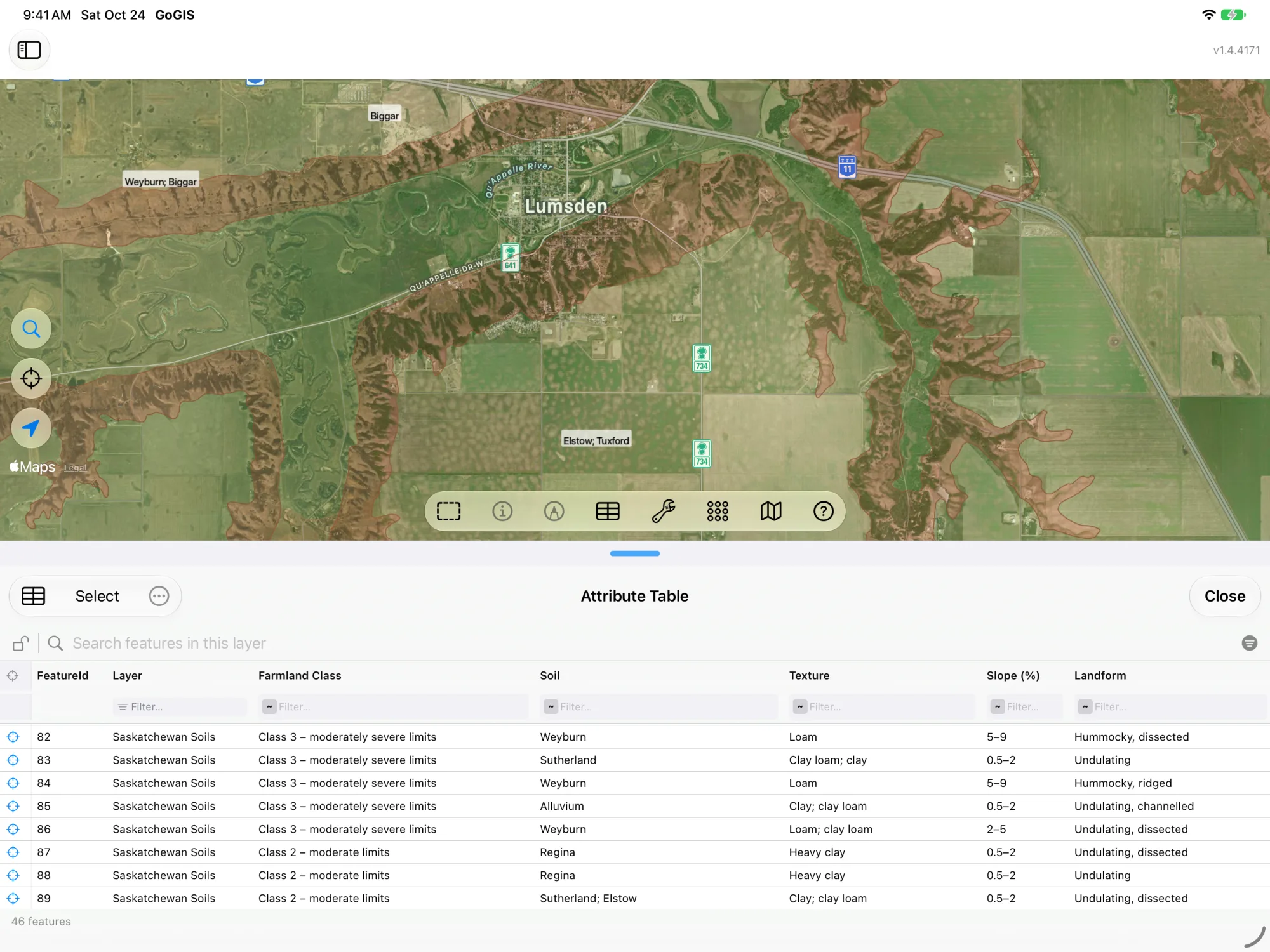
Every polygon carries the province's own columns under their original names, so nothing is lost, and new plain-English columns beside them. Tap a polygon to see them, or open the layer's attribute table to sort and filter the whole area, for example to find every Class 1 and 2 polygon, or every poorly drained one.
How to Download a Soil Map
- Move the map to your area. Search for an address or town, or pan and zoom to the fields you care about. GoGIS downloads what's on the screen.
- Open Reference Data. Tap Import, then Reference Data, and scroll to the Canada section.
- Choose the province's soil map. For Ontario, Manitoba and BC, zoom in to a few fields or a township first. Their surveys are detailed, and a whole county is more than the servers send at once. If an area holds a great many features, GoGIS tells you how many and asks before it downloads them.
- Read the map. The layer arrives with its legend set up. Tap any polygon for its soil, or change the legend to color by drainage, texture or any other column.
Put the Soils to Work
- Stack them on your own fields. Open your field boundaries, sample grid or a parcel file, and the soils sit underneath. Make the soil layer partly transparent to see both.
- Find the soils under each field. Use Intersect to cut the soil map by your field boundaries and get a piece for every soil in every field, carrying both the field's and the soil's attributes.
- Plan sampling and management zones. Walk the field with the soil boundaries and your GPS position on the same map. See the soil sampling guide.
- Take it offline. Once downloaded, the layer is stored on your device and works with no signal, which is most of rural Canada.
- Export or print it. Share the layer as a Shapefile, GeoPackage, KML, GeoJSON or CSV, or print a PDF map. The source credit its licence asks for goes on the print and with the export.
Working in the United States too? The same Reference Data panel has USDA SSURGO soils, FEMA flood zones, wetlands and rivers for the US. See SSURGO soils and FEMA flood maps. And anywhere in the world, you can download OpenStreetMap roads, rivers, buildings and land use.
Questions
Do I need desktop GIS software?
No. GoGIS downloads the polygons for the area on your screen straight from the provincial and federal map services. There's nothing to unzip, convert or copy across.
Why is the Alberta map colored differently?
Alberta's inventory rates land with the Land Suitability Rating System (LSRS) rather than the CLI, and its climate leaves it no Class 1 land for grain. So the Alberta layer is colored by Grain Suitability, with canola, alfalfa and brome ratings in their own columns.
My area isn't covered by a provincial survey. What can I use?
The Soil Landscapes of Canada covers the whole country. It's mapped at 1:1 million, so it shows the regional soil pattern rather than field-by-field detail.
Are the soil names translated?
The provinces publish their soil data in English, and the plain-language columns GoGIS adds are in English too. The dataset names and descriptions in the app are in English and French.
Canada's soil surveys, in your pocket
Six soil maps, colored and spelled out, ready to download on your iPhone or iPad.
Get GoGIS on the App Store