Related Forms for Mobile GIS Field Records
Most GIS attribute tables are one row per feature. That works for static facts like asset ID, pipe size, owner, or parcel number. Field work is different. A feature may need a new inspection every month, several maintenance events over its life, multiple photos, or a long series of readings.
In GoGIS, Related Forms let you add a new record for each visit while keeping the feature’s main attributes in place. An asset can retain its ID and dimensions while accumulating inspections, readings, and maintenance records.
What Related Forms Are
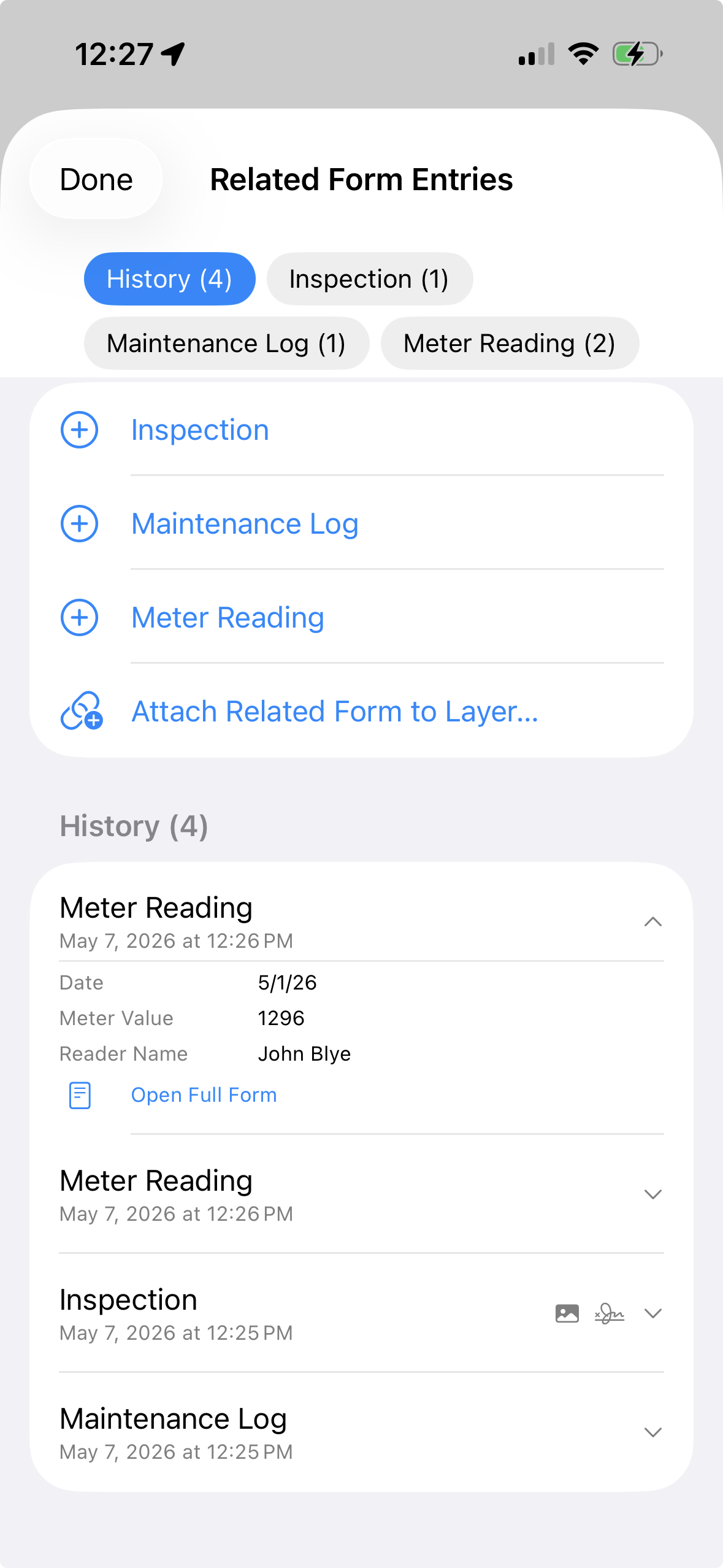
A Related Form is an additional form definition attached to a layer. When you select a feature in that layer, GoGIS can show the main feature attributes plus any related form entries already collected for that feature.
- One feature, many records. Fill out the same form repeatedly for the same asset or location.
- Multiple activities per layer. Attach different forms for inspections, readings, service calls, or samples.
- Dated records. Entries retain their creation timestamps. Include an Inspection Date or Reading Date field when the activity date differs from the date you enter the record.
- Same rich field types. Related Forms can use text, numbers, pick lists, ratings, photos, signatures, sketches, dates, barcodes, and more.
A Utility Meter Example
Imagine a meter layer imported from a shapefile. Each meter feature already has stable attributes like asset number, service area, installation date, and location. Those belong in the main layer. But field activity belongs in Related Forms.
Inspection
Use an inspection form for condition, access, visible damage, photo evidence, signature, and notes. A meter may have one inspection this year and several more in future years.
Maintenance Log
Use a maintenance form for work performed, parts replaced, technician name, follow-up needed, and photos. This creates a service history without adding dozens of maintenance columns to the main meter layer.
Meter Reading
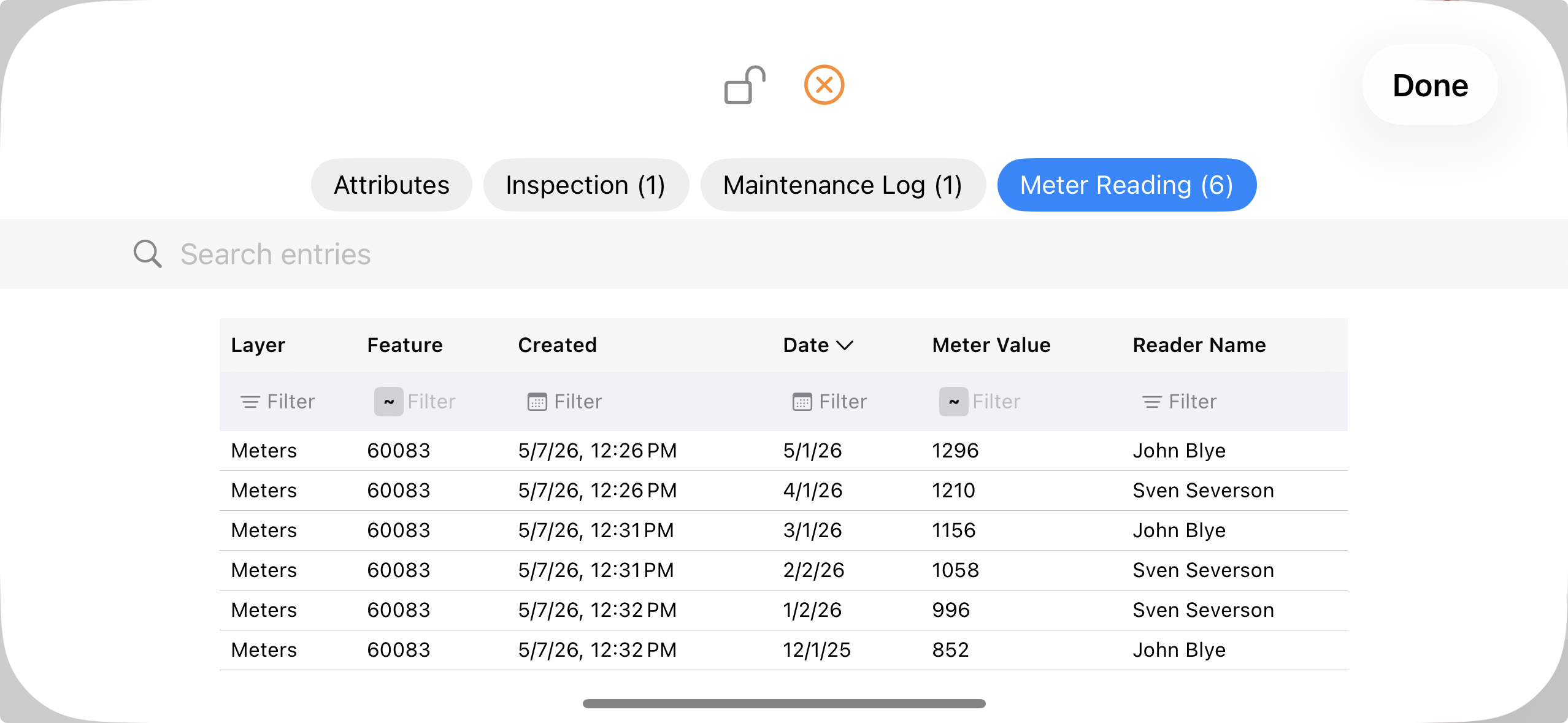
Use a meter reading form for reading date, value, reader name, and comments. The same meter can collect a series of readings over time, then show those records in a grid.
Example: Follow a Culvert Through Repeat Visits
Keep the culvert’s identity and dimensions on the feature. An inspection after heavy rainfall can record a partially blocked outlet, site photos, and a recommendation to remove debris. A follow-up visit adds another inspection documenting the condition after maintenance. Both records remain linked to the same culvert.
Use the History view to expand an entry and read its details on a phone. Open the form’s grid to compare dates, conditions, and recommended actions across entries; the wider tablet display provides more room for columns.
Other Workflows That Fit
- Environmental monitoring: repeated site visits, water quality readings, photo logs, and corrective actions.
- Agriculture: multiple soil samples, scouting observations, treatment records, and follow-up checks tied to the same field or sample point.
- Infrastructure: valve inspections, hydrant flushing, pole condition checks, meter readings, and maintenance activity.
- Property management: site inspections, tenant requests, photo documentation, and repair history tied to parcels or buildings.
How It Works in GoGIS
Design Related Forms with the same form builder used for feature attributes. Attach one or more forms to a layer. Then, when you interact with a feature, you can review old entries, open a full entry, add a new entry, or attach another form to the layer if the workflow changes.
This keeps field collection flexible. You can start with a simple meter reading form, then later add a maintenance log or inspection form without rebuilding the whole layer.
Smart Fields: Formulas and Field Rules
Related Forms support the same smart-field tools as the custom form builder:
- Computed fields (f(x)) — calculate totals, rates, days since a previous visit, or reference another field. Results are read-only during data entry.
- Field Rules (eye-slash) — show a field only when a condition is true (for example Status equals Damaged), or make a field required only when it is relevant. Rules update live as the form is filled.
Use f(x) for calculations and Field Rules for show/hide and conditional required. They are separate controls. For step-by-step examples, see the custom forms guide.
Export
Related Forms export as CSV files alongside the normal GIS export. The main feature layer can still export as Shapefile, GeoJSON, KML, GeoPackage, or CSV. Related form entries travel in parallel CSV files and include a GoGIS_ID column that links each related record back to the parent GIS feature.
Need to understand the export structure?
The linking guide explains how Related Form CSV files connect back to the main GIS layer.
Read the Linking Guide