Swedish Crop Fields & Soil Maps on Your iPhone & iPad
Two Swedish agencies publish exactly the maps a farm adviser wants in the field. Jordbruksverket, the Swedish Board of Agriculture, publishes every field farmers apply for support for in their SAM application (SAM-ansökan), with the crop grown on it. SGU, the Geological Survey of Sweden (Sveriges geologiska undersökning), publishes its soil map (jordartskarta): what lies about half a metre down, from clay and till to peat and sand.
Both are built for desktop GIS, and the crop layer is a column of numbers: crop code 4, sub-code 101, block 61783332015. GoGIS now has a Sweden section in Reference Data. Move the map to your area, pick a dataset, and it downloads as a layer on your iPhone or iPad, with every code written out.
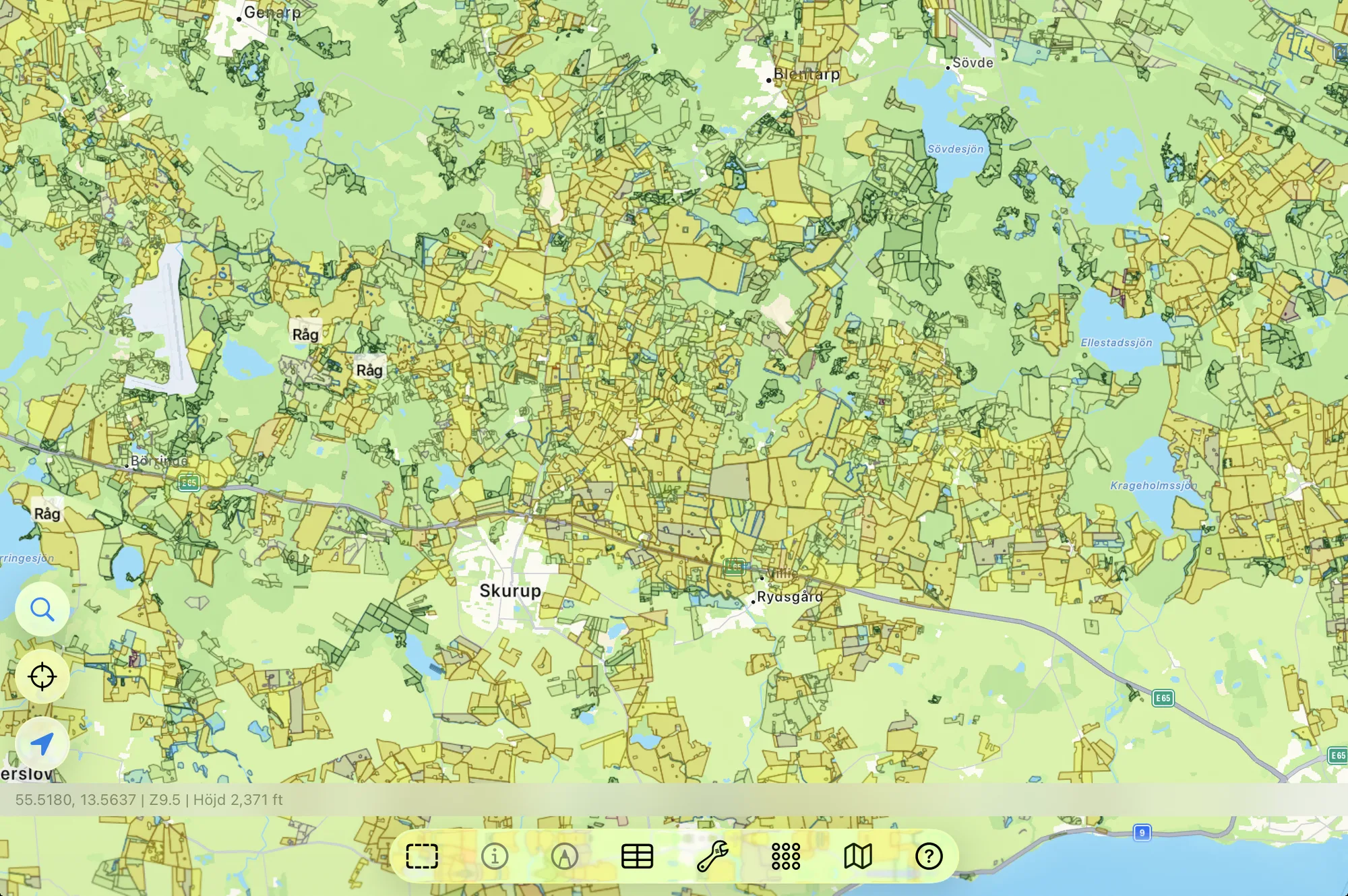
The Two Swedish Datasets
- Sweden Crop Fields — every field (skifte) applied for in the latest year, with the crop in words, and where the crop code isn't one crop, what's actually there: fallow with plant cover or bare, which vegetable, the cereal sown for green forage. Each field also has its approved and declared area, its block ID (the farmland block, jordbruksblock, from Jordbruksverket's block database) and field ID, and the crop code (grödkod), named from Jordbruksverket's Grödkodslista. The layer arrives colored by crop group. Jordbruksverket – Jordbruksskiften (senaste årslager).
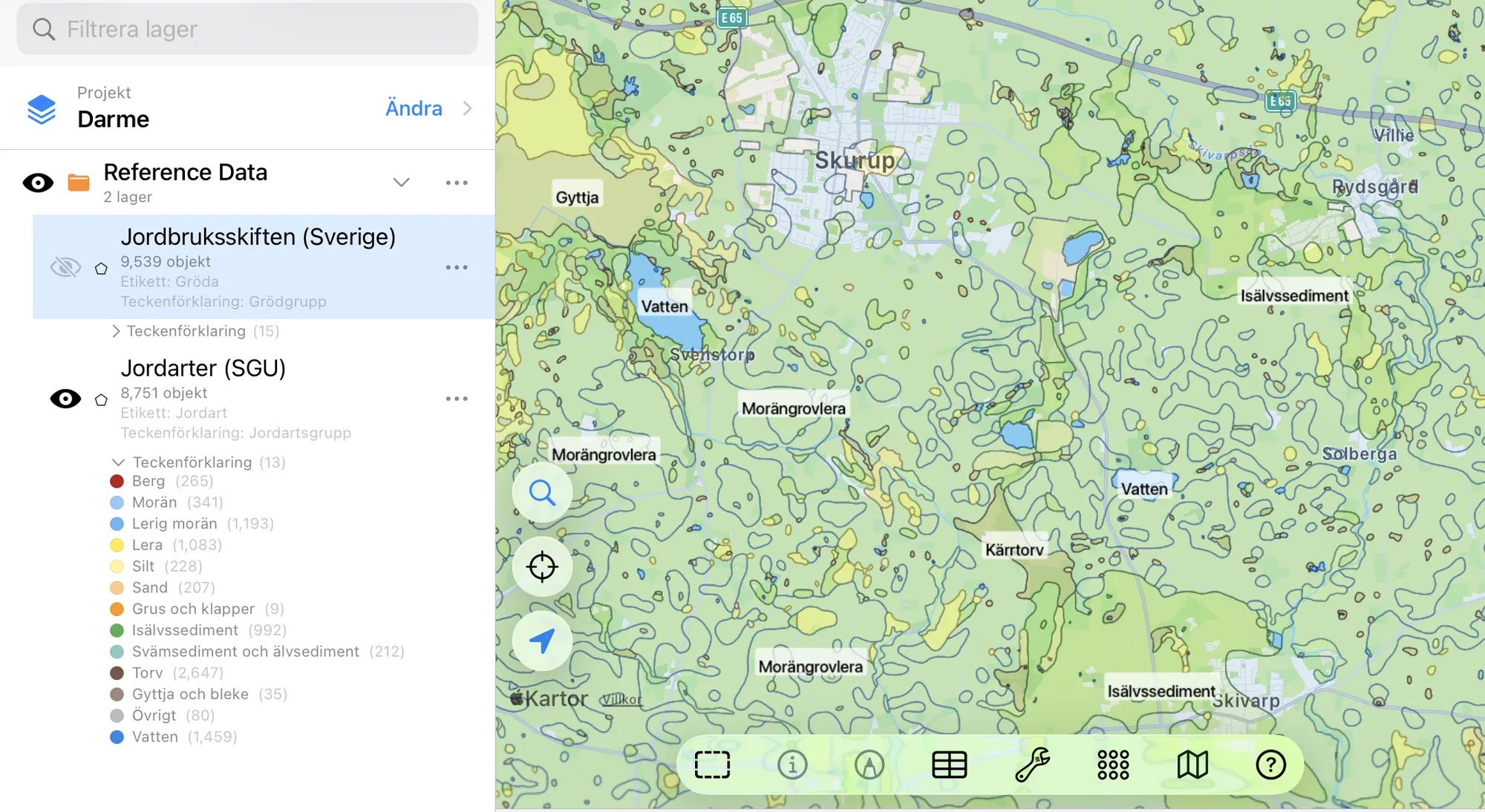
- Sweden Soils (SGU) — SGU's soil map, Jordarter 1:25 000–1:100 000, the base layer (grundlager). Each area has its soil type (coarse clay till, postglacial fine sand, fen peat), a soil group, its area, and the scale it was mapped at: field mapping at 1:25,000 in much of the south, air-photo reading at 1:100,000 in parts of the north. The layer arrives colored by soil group. SGU – Jordartskarta 1:25 000–1:100 000. CC0.
In English or in Swedish
This is Swedish data, so GoGIS speaks Swedish when you do. With the app set to Swedish, the columns are Gröda, Precisering, Grödgrupp, Fastställd areal (ha), Jordart, Jordartsgrupp, Kartskala, and the values are Jordbruksverket's and SGU's own: Vete (höst), Betesmark (ej åker), Morängrovlera. In any other language you get English throughout: Crop, Crop Detail, Approved Area (ha), Soil Type, and Winter wheat, Pasture (not arable land), Coarse clay till.
The columns, the values and the legend all change together, so a printed map or an exported shapefile reads in one language from end to end. The crop and soil codes stay in their own columns, so you can always match a field back to the official lists.
The Crop Groups
Jordbruksverket's hundred crop codes fall into fifteen groups for the legend, colored roughly as the crops look from the air.
| Crop group | In Swedish |
|---|---|
| Cereals | Spannmål |
| Corn | Majs |
| Oil and fiber crops | Olje- och fiberväxter |
| Pulses | Baljväxter |
| Potatoes | Potatis |
| Sugar and fodder beets | Sockerbetor och foderbetor |
| Ley and forage | Vall och grönfoder |
| Pasture and meadow | Betesmark och slåtteräng |
| Fallow and green manure | Träda och gröngödsling |
| Vegetables | Grönsaker |
| Fruit and berries | Frukt och bär |
| Energy crops | Energigrödor |
| Horticulture and nursery | Trädgård och plantskola |
| Buffer strips and wetlands | Skyddszoner och våtmarker |
| Other | Övrigt |
The Soil Groups
SGU's soil types fall into thirteen groups for the legend. Tap an area for its exact soil type.
| Soil group | In Swedish |
|---|---|
| Bedrock | Berg |
| Till | Morän |
| Clayey till | Lerig morän |
| Clay | Lera |
| Silt | Silt |
| Sand | Sand |
| Gravel and shingle | Grus och klapper |
| Glaciofluvial deposits | Isälvssediment |
| Alluvium and river sediment | Svämsediment och älvsediment |
| Peat | Torv |
| Gyttja and marl | Gyttja och bleke |
| Other | Övrigt |
| Water | Vatten |
How to Download the Layers
- Move the map to your area. Search for a town or an address, or pan and zoom to the fields you want. GoGIS downloads what's on the screen.
- Open Reference Data. Tap Import, then Reference Data. The row of countries along the top opens on the one the map is showing, so with the map in Sweden, the Sweden datasets are the ones listed. Tap another country, or Global for worldwide data such as OpenStreetMap.
- Choose a dataset. The download keeps going if you switch apps or the screen would otherwise lock, and progress shows on the map. If an area holds a great many features, GoGIS tells you how many and asks before it downloads them.
- Read the map. The fields arrive colored by crop group and labeled by crop; the soils arrive colored by soil group and labeled by soil type. Tap anything to see everything about it.
Put the Layers to Work
- Plan soil sampling. Lay the soil map under your fields and see where the clay gives way to till or sand before you set out a sampling grid.
- See what's grown around you. The fields show the whole landscape at a glance: where the cereals, leys, beets and pasture are this year.
- Combine them with your own data. Use Intersect to cut the fields by the soil map and see which soils each field sits on.
- Export or print. Share either layer as a Shapefile, GeoPackage, KML, GeoJSON or CSV, or print a PDF map. The source credit goes on the print and with the export.
Elsewhere in Europe? Reference Data also has the German cadastre and crop fields, the Dutch cadastre and crop parcels, the French cadastre and crop parcels, and OpenStreetMap roads, rivers, buildings and land use anywhere.
Questions
Which year are the crop fields?
The latest year Jordbruksverket has published, which in late 2026 is 2025.
What's the difference between approved and declared area?
The declared area is what the farmer applied for. The approved area is what Jordbruksverket accepted once it checked the field; it's empty until the check is done.
Does GoGIS have the Swedish cadastre?
Not yet. Lantmäteriet's property map needs a registered access key, so GoGIS doesn't download it.
Do I need desktop GIS software or an account?
No. GoGIS downloads the fields and soils straight from Jordbruksverket's and SGU's open services. There's no key, no account and nothing to unzip.
Sweden's fields and soils, in your pocket
Jordbruksverket's farm fields and SGU's soil map, in English or Swedish, ready to download on your iPhone or iPad.
Get GoGIS on the App Store